
Product
Your prices, your terms, enforced at the order.
Set a price per retailer and credit terms per account. Reps apply discounts you can see; the order soft-blocks when a limit or a cheque is overdue.
What it covers
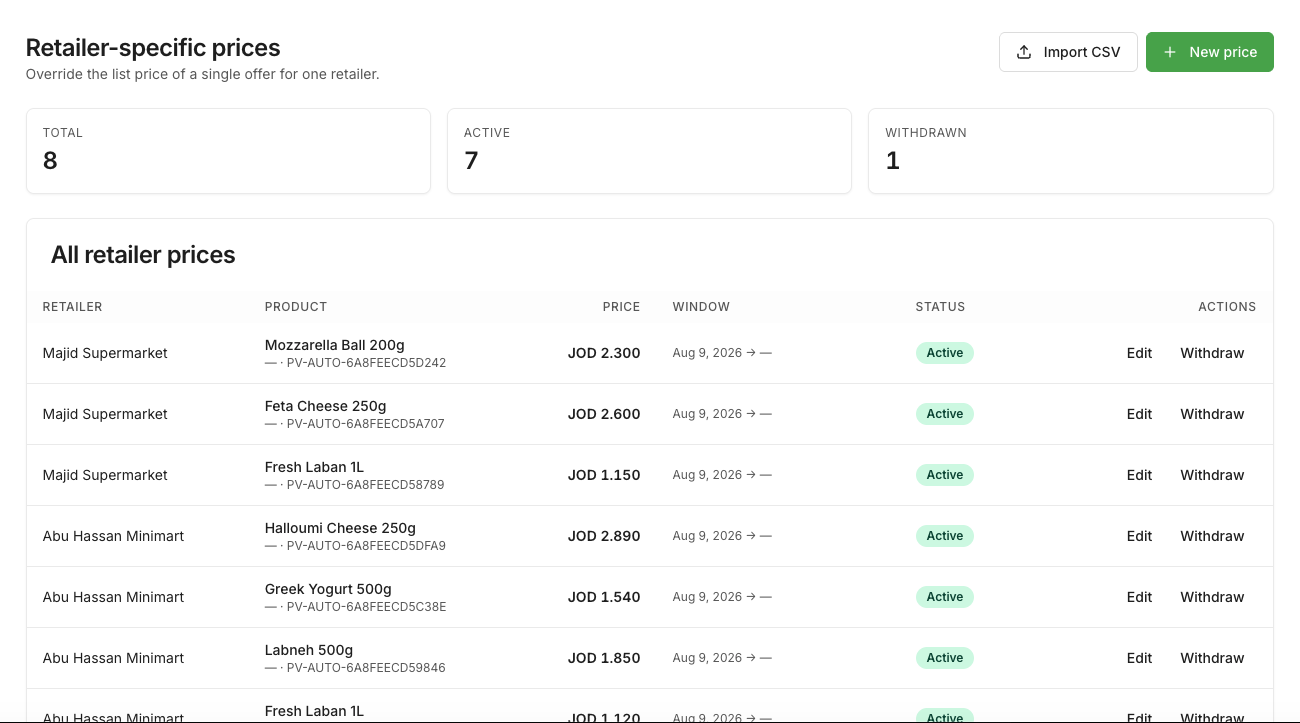
Per-retailer prices
Import by CSV with a preview before you commit, then override per retailer and product with a validity window.
Discounts reps can apply, you can see
A one-off discount is logged with who gave it and why. The list price never changes from the field.
Net terms and credit limits
Net-0 to Net-60 per retailer, a credit limit, aging buckets, and a soft block the moment either is exceeded.
Cheque lifecycle
Received, deposited, cleared or bounced. A held cheque does not free credit headroom until it clears.
How it works
1. You set the numbers once.
List prices, per-retailer overrides, terms and limits live in the dashboard, not in a rep's head.
2. The cart computes the final price.
Once per line, after every discount and tax; the same number prints on the invoice.
3. The order checks credit before it goes through.
Over the limit or a cheque overdue, and the sub-order waits for your decision instead of shipping.
On both sides
For the supplier
- Prices reps cannot override; every change logged
- Receivables aging and top-risk retailers on one screen
- Cheque-due nudges to the rep on that route
For the retailer
- The final price before you confirm, the same on the invoice
- Your terms and limit visible while you order
- A cheque calendar with due dates and status
Prices, credit and cheques, one by one
The rules behind each, where they show, and what gets logged.
Three questions
What people ask about this first.
Yes, a one-off discount within the limit you set, logged with the reason. The list price itself is yours alone.
It holds the sub-order for your approval instead of rejecting the retailer outright; you release it or ask for a cheque first.
No. A cheque is money only when it clears, and credit headroom stays used until then.
Where FMCG gets done.
Retailers sign up free. Suppliers apply, get verified, and start the 14-day Growth trial.